Using Customer Says extension is easy. Once installed from the Chrome Webstore perform a search in Google as normal.
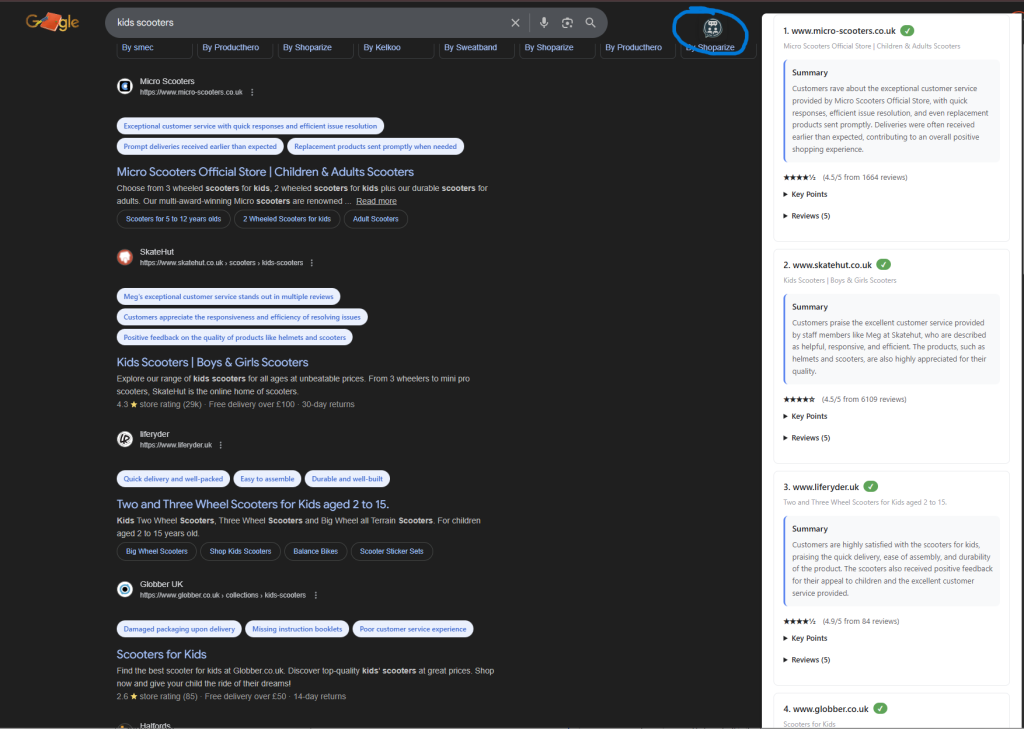
- Click on our logo located at the top right of the screen as shown in the blue circle in the image below
- The tool will automatically pull in and analyse the reviews for each website listed in the results
- If you want to read the full summary use the pop out bar on the right side
- Expand to see the full reviews by clicking ‘reviews’ on the right side bar.
- You will need to press the logo button everytime that you want to see the review summeries for each website